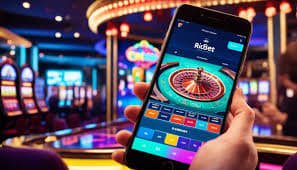
Mobile App

Download the jiliko ms App – Play Anywhere in the Philippines

Get the full jiliko ms experience on your smartphone. Faster load times, push notifications for new games and promos, and seamless access to slots, live casino, sports betting, and eBingo — all in one app built for Filipino players.

Android Supported iOS Supported SSL Secured Free to Download
jiliko ms

Choose Your Platform

The jiliko ms app is available for both Android and iOS. Pick your device and follow the steps below.

Android Free

jiliko ms for Android

Compatible with Android 7.0 and above · APK install

The Android version of the jiliko ms app is distributed as a direct APK file. Because it's not listed on the Google Play Store, you'll need to enable installation from unknown sources in your device settings before installing — this is a standard step for many Philippine gaming apps and takes less than a minute to set up.

  • Android 7.0 (Nougat) or higher
  • Minimum 100MB free storage
  • Stable mobile data or WiFi recommended
  • Enable "Install unknown apps" in Settings
  • Auto-updates via in-app notification
Get Android App
iOS Free

jiliko ms for iPhone

Compatible with iOS 13.0 and above · iPhone & iPad

iPhone and iPad users can access jiliko ms directly through the mobile browser without needing to download a separate file. The mobile web version on Safari is fully optimized and delivers the same lobby experience — games, live casino, sports markets, and account management all work smoothly.

  • iOS 13.0 or higher (iPhone & iPad)
  • Works via Safari mobile browser
  • Add to Home Screen for app-like access
  • No App Store download required
  • Full lobby access in-browser
Open on iPhone
jiliko ms

How to Install on Android

Follow these steps to install the jiliko ms APK on any Android phone. The whole process takes about two to three minutes.

1

Create or log in to your account

Head to the jiliko ms Register page and create a free account, or log in if you already have one. Your account works across both the app and the mobile browser.

2

Enable "Install unknown apps"

On your Android phone, go to Settings → Apps & Notifications (or Security on older devices) and enable the option to install apps from unknown sources. This is a one-time step.

3

Download the APK file

After logging in, navigate to the Download section inside your account dashboard and tap the Android download button. The APK file will save to your phone's Downloads folder.

4

Open the APK and install

Tap the downloaded file in your notification bar or Files app. Confirm the installation prompt. The jiliko ms app icon will appear on your home screen within seconds.

5

Log in and start playing

Open the app, log in with your jiliko ms credentials, and you're in the full game lobby. Your balance, history, and promotions are all synced with your account.

How to Access on iPhone

No download needed on iOS. Here's how to set up quick access from your iPhone home screen so it feels just like a native app.

1

Open Safari on your iPhone

Make sure you're using Safari — it's the default Apple browser. Chrome on iOS works too, but the "Add to Home Screen" option is most reliable through Safari.

2

Visit jilikoms.net

Type jilikoms.net in the Safari address bar and navigate to the site. The mobile-optimized version will load automatically for your screen size.

3

Tap the Share icon

At the bottom of the Safari browser (or top-right on iPad), tap the Share icon — it looks like a square with an arrow pointing upward.

4

Select "Add to Home Screen"

Scroll through the share sheet options and tap "Add to Home Screen." You can rename the shortcut or leave it as is, then tap "Add" in the top-right corner.

5

Open from home screen anytime

The jiliko ms icon will appear on your iPhone home screen. Tap it to open the site in full-screen mode without the browser toolbar — it works just like a standalone app.

jiliko ms

What You Get with the jiliko ms App

The app isn't just a mobile-friendly browser wrapper — it's built to improve how you use the platform day to day.

Faster Load Times

The native app caches assets locally so the game lobby opens faster on repeat visits compared to loading through a browser each time.

Push Notifications

Get notified instantly when new slot titles are added, when your promotions are ready to claim, or when live sports events you follow are about to start.

Biometric Login

Log in using your phone's fingerprint sensor or face recognition on supported devices. No need to type your password every time you open the app.

SSL Encrypted Sessions

Every session in the app runs over 256-bit SSL encryption. Your account credentials, balance data, and transaction records are always protected in transit.

Full Game Lobby Access

Every game category available on desktop is accessible through the app — slots, live casino, sports betting, and eBingo with no features removed for mobile.

PHP Balance Management

Deposit, withdraw, and check your balance in Philippine Peso directly from the app. GCash, Maya, and local bank transfers are all accessible from the app's cashier section.

Why Download the jiliko ms App Instead of Using the Browser?

The mobile browser version of jiliko ms works perfectly well — you can play every game, manage your account, and process deposits and withdrawals without downloading anything. But for players who use the platform regularly, the dedicated app makes day-to-day use noticeably smoother in a few specific ways.

The most noticeable difference is speed. When you open jiliko ms through a browser, it has to reload assets every session. The app keeps frequently used resources stored locally, which means the lobby appears faster when you open it, and games launch with less waiting. For players in areas with slower mobile data — parts of Metro Manila, provincial cities, or anywhere signal is inconsistent — this can make a real difference to the experience.

Push Notifications for Promotions and New Games

One of the more practical reasons to use the app is push notifications. When jiliko ms adds new slot titles, launches a promotion, or a live sports event you might be interested in is approaching, you get a notification on your phone's lock screen — even if the app isn't currently open. For players who check the promotions page manually through a browser, this means you no longer need to remember to look. Relevant updates come to you instead.

Notification preferences are customizable inside the app settings, so if you only want to hear about slots promotions and not sports alerts, you can adjust accordingly.

Security on Mobile – What jiliko ms Does

Account security on mobile is something jiliko ms takes seriously. The app supports OTP (one-time password) verification for login and withdrawals, which adds an extra confirmation step that protects your account even if your password is compromised. Biometric login via fingerprint or face ID is available on supported Android and iOS devices as a convenient alternative to typing credentials every time.

All data transmitted between the app and jiliko ms servers is protected by 256-bit SSL encryption. This applies to every interaction — log-in, game results, balance updates, and transaction processing. The platform also supports account verification (KYC) which helps protect your account and ensures withdrawals go to the correct person.

Playing jiliko ms on the Go — Real Player Habits

Filipino players use the jiliko ms app in a lot of different contexts. The commute between Quezon City and Manila is a common one — slots load fast enough on LTE or 5G to get a few sessions in during the ride. Lunch breaks in Makati or BGC, evenings at home in Cebu or Davao after work, and weekends when you want something more interactive than scrolling social media are all common usage patterns.

Live casino is particularly popular on the app because the streaming quality holds up well on a stable mobile connection. Baccarat rounds on mobile feel responsive and the dealer video is clear enough that you're not missing information. Sports betting during PBA games is another strong mobile use case — placing a live bet while watching a match is intuitive through the app interface.

Keeping the App Updated

For Android users, app updates are distributed as new APK files. When a new version is available, you'll receive a push notification prompting you to download and install the update. The process mirrors the original installation — download the new APK and install it over the existing version without needing to uninstall first. Your account data and preferences are preserved.

iOS users accessing jiliko ms through the mobile browser always get the latest version automatically since there's nothing local to update — the site itself is updated server-side and your browser reflects that on every visit.

No account yet? You need a jiliko ms account before you can use the app. Registration is free and takes a few minutes — head to the Register page to get started. If you already have an account, just log in and navigate to the download section inside your dashboard.
Responsible Gaming: The jiliko ms app makes gaming more accessible, which means it's even more important to set clear limits for yourself. Use the session budget tools available in your account settings, take breaks, and never play with money you can't afford to lose. jiliko ms is for players aged 21 and above. Visit our Responsible Gaming page for support tools.

21+ Only

Gaming involves risk. Set a budget and play within your means.

Responsible Gaming →

App vs Mobile Browser

Both options give you full access to jiliko ms. Here's how they compare on key points so you can decide what works best for you.

Feature Native App Mobile Browser
Full Game Lobby
Push Notifications
Faster Load Time
Biometric Login
No Install Required
Works on iOS Via browser
PHP Deposits

Ready to Take jiliko ms with You?

Register for free, make your first PHP deposit, and download the app to start playing from anywhere in the Philippines. Slots, live casino, sports betting, and eBingo — all in your pocket.

jiliko ms

Download FAQ

Common questions about downloading and using the jiliko ms app in the Philippines.

Yes, the jiliko ms app is completely free to download and install. There are no charges for downloading the APK on Android or accessing the mobile site on iOS. You only spend money when you make a deposit into your gaming account.

Google Play has restrictions on certain categories of gaming apps, which is why many Philippine gaming platforms distribute their Android apps as direct APK downloads rather than through the Play Store. This is a common and standard practice. The APK file is provided directly by jiliko ms, so as long as you download it from the official source, it is safe to install.

On most Android phones, go to Settings → Apps (or Application Manager) → find your browser or file manager app → tap "Install unknown apps" and toggle it on. On some Samsung devices, the setting is under Settings → Biometrics and Security → Install unknown apps. The exact path varies slightly by Android version and manufacturer, but the setting is always in the Security or Apps section.

The jiliko ms app is optimized to work on standard Philippine mobile data speeds. Slots and table games load well on LTE (4G). Live casino streaming requires a more stable connection for the best video quality — WiFi or a strong LTE signal is recommended for live dealer games. For areas with intermittent signal, slots are generally more forgiving than live streaming content.

Android users will receive a push notification when a new version of the jiliko ms app is available. Tap the notification to download the updated APK and install it over the existing app — your account and settings are preserved. iOS users on the mobile browser always have the latest version automatically since updates are applied server-side.

Yes. Your jiliko ms account works across all platforms — the Android app, the iOS mobile browser, and the desktop browser. Your balance, game history, promotions, and account settings are all synced in real time, so you can switch between devices without losing anything.